
Skip to content

    Platform

    One system to plan, run, report and close site visits

    TPMready replaces the spreadsheets, email and chat that monitoring teams usually depend on. Everyone works from the same current information, and each person sees what their role requires.
    Request a demonstration
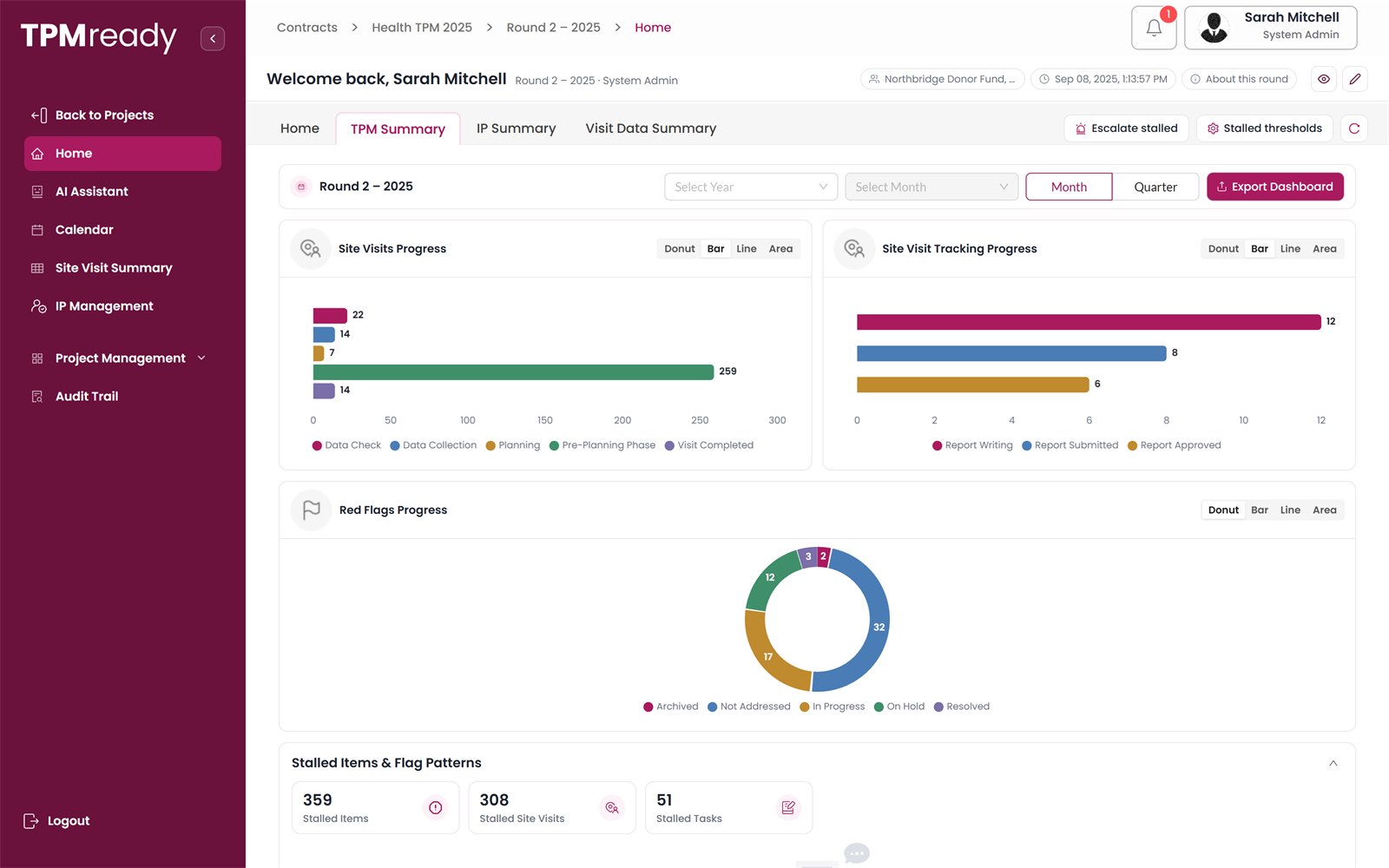
    Health TPM 2025 / Round 2 / TPM summary
    TPM summary dashboard

    How work is organised

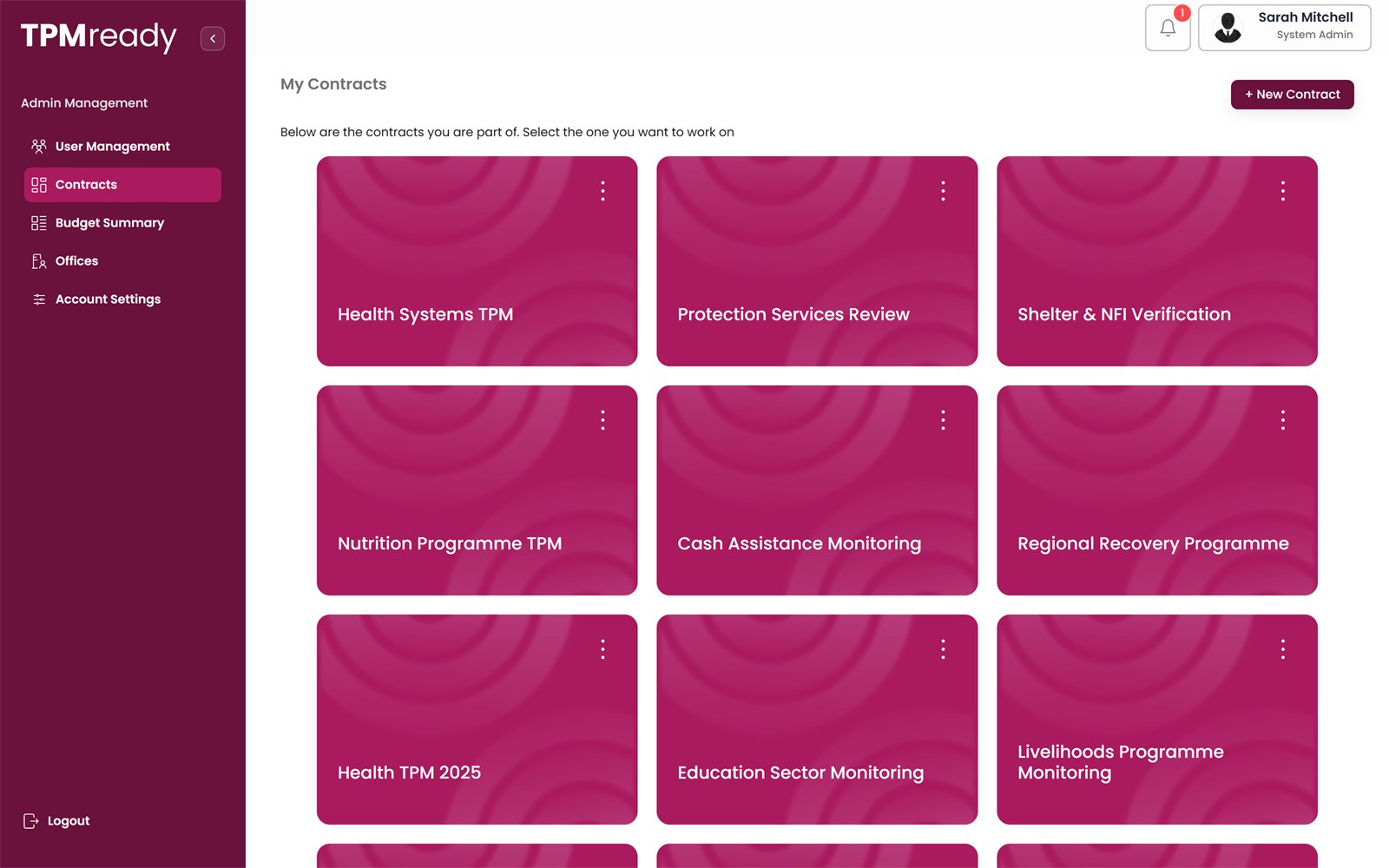
    Every contract has its own workspace

    Work sits inside a monitoring round. When you open a project you work in one round, and every board, dashboard and report shows that round's data.
    1. Workspace
    2. Project
    3. Monitoring round
    4. Site visits
    5. Tasks · Reports · Flags
    Admin / Contracts
    My contracts: a grid of monitoring contracts

    Module 01

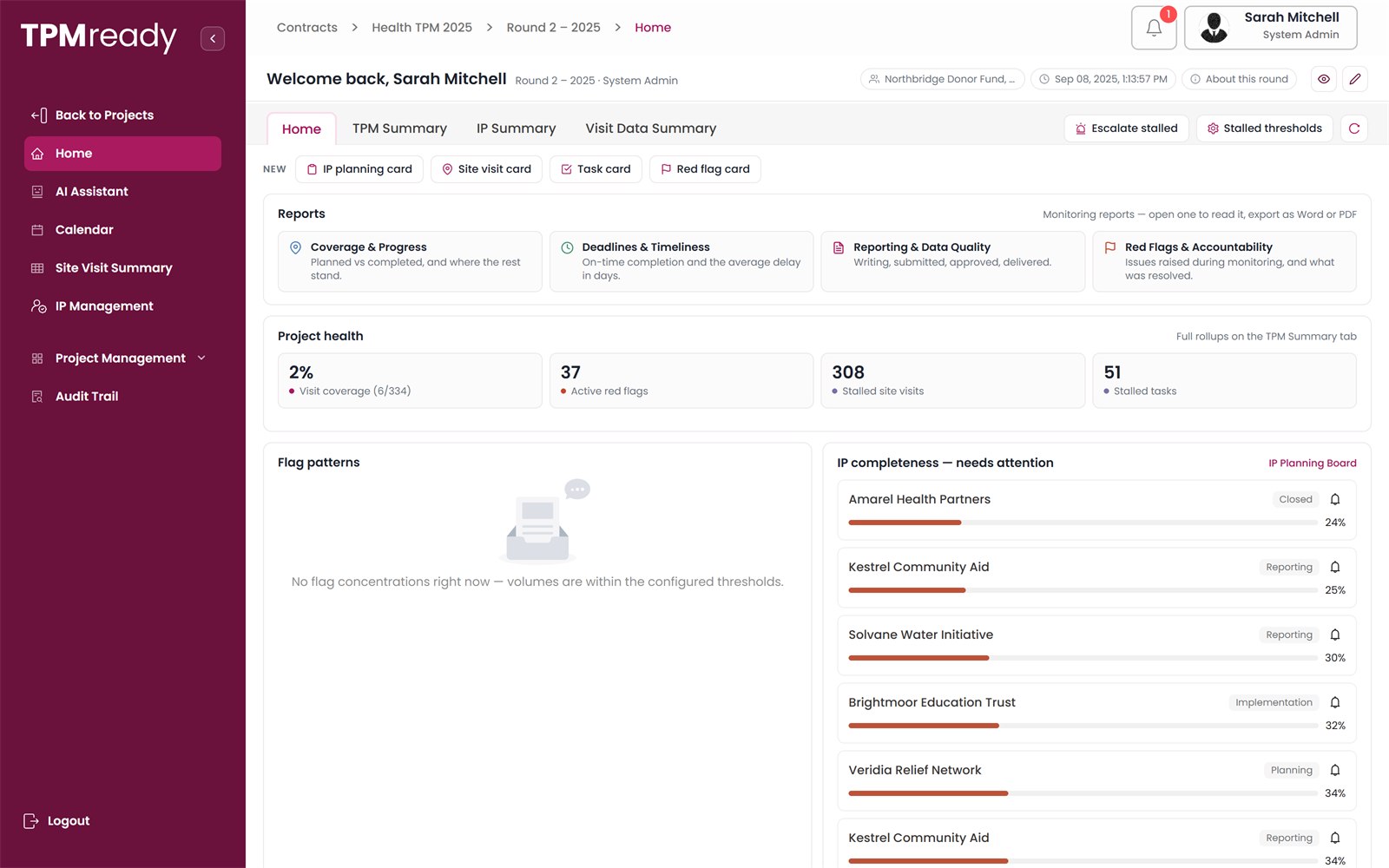
    Home, built around your role

    Each user opens the platform on what they need to act on.

    • Project managers see the health of the round: coverage, active flags, stalled visits and tasks, and partner completeness.
    • Coordinators see a working queue sorted by what needs attention first.
    • Field teams see their own tasks with deadlines and visits in the coming two weeks.
    • One-click quick reports: coverage and progress, timeliness, reporting quality, red flags.
    Health TPM 2025 / Round 2 / Home
    Project home with reports, project health and IP completeness

    Module 02

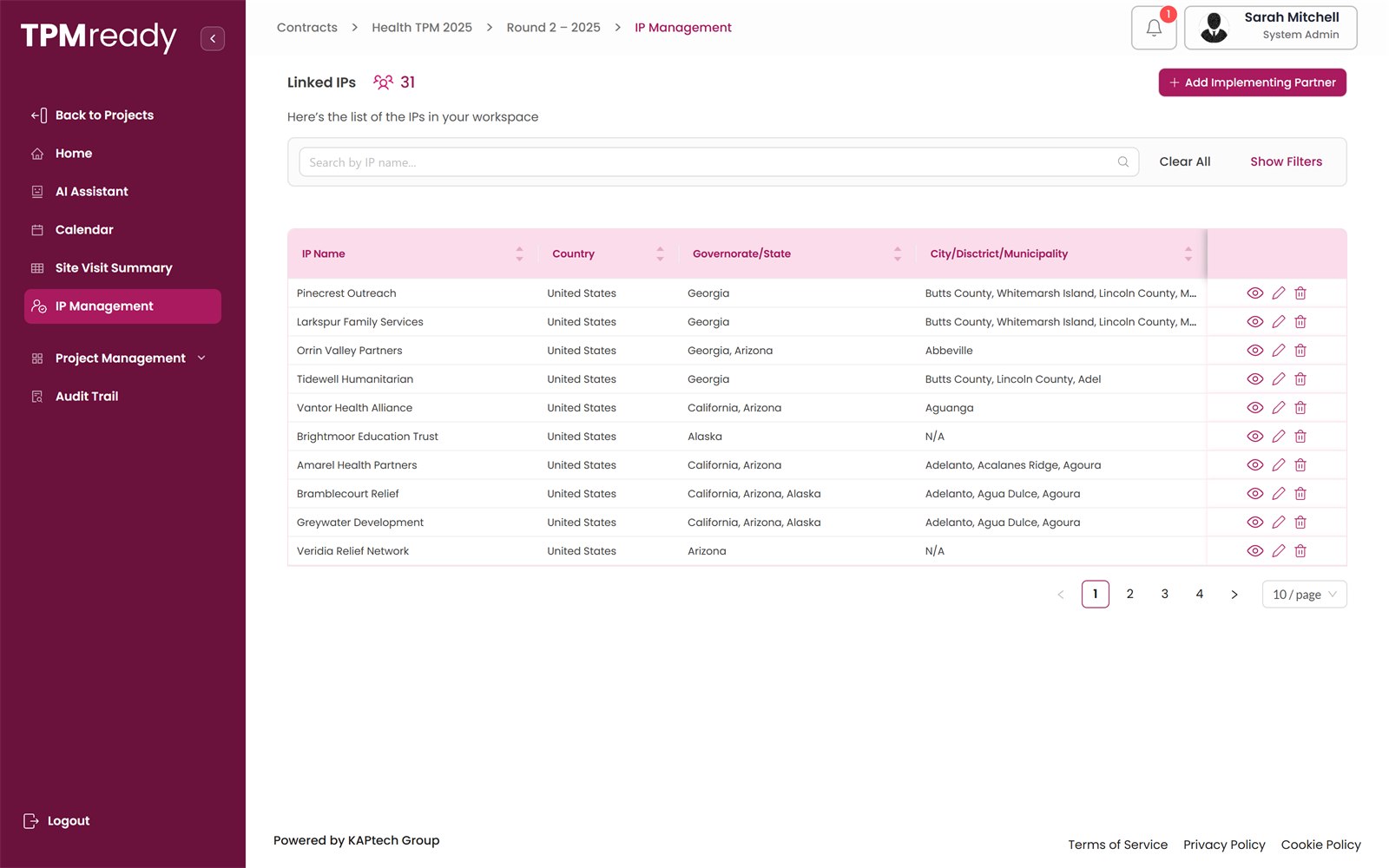
    Implementing partners

    Partners are defined once, with their contacts and areas of work, and linked to everything else.

    • IP plans, visit cards, red flags and dashboards all refer to a partner.
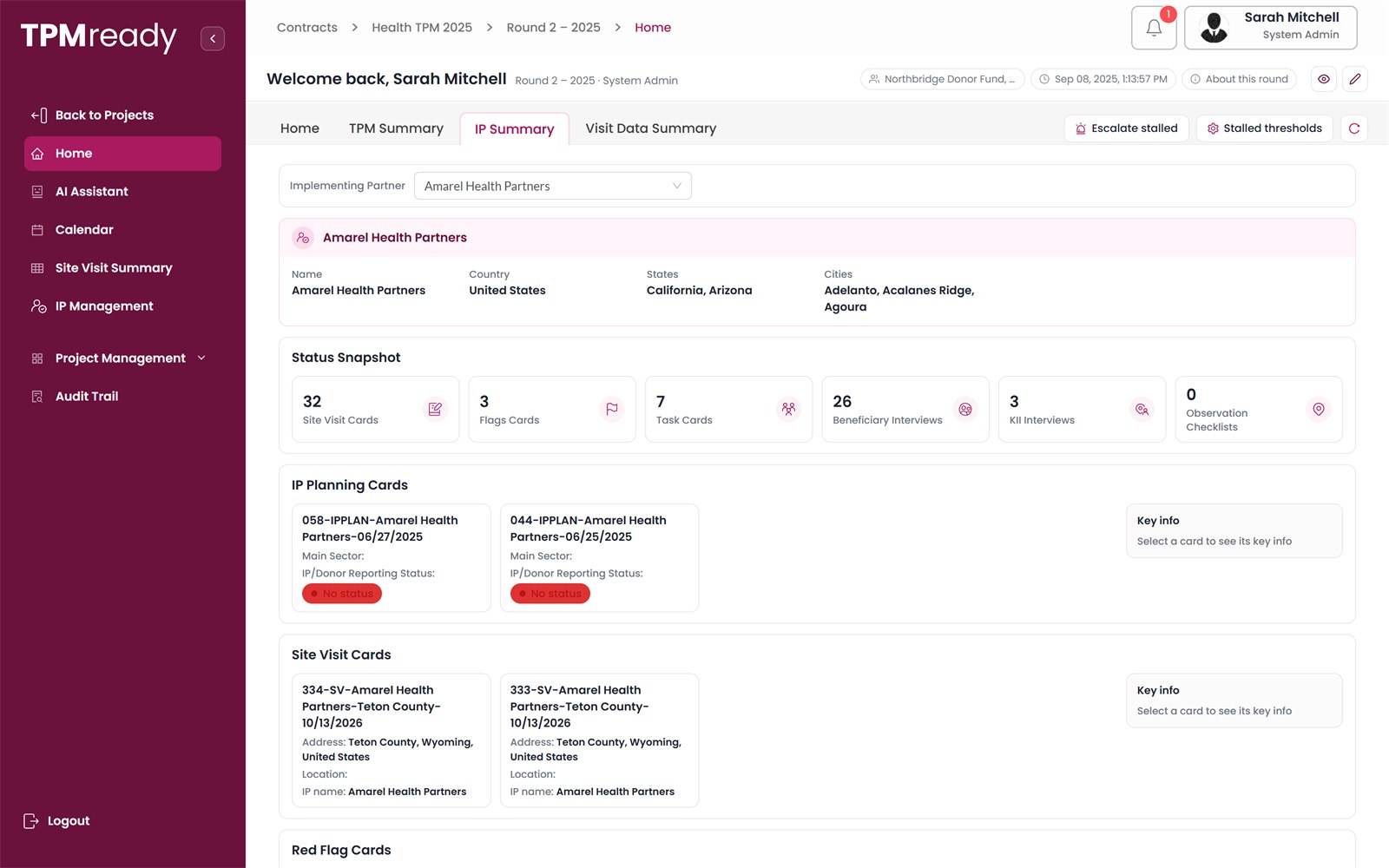
    • Each partner's summary shows its site visit, flag and task cards, interviews and checklists.
    • “How many visits did we complete for Partner A, and what did we find?” becomes a filter, not a research task.
    Health TPM 2025 / Round 2 / IP management
    IP management table listing linked implementing partners by country and state

    Module 03

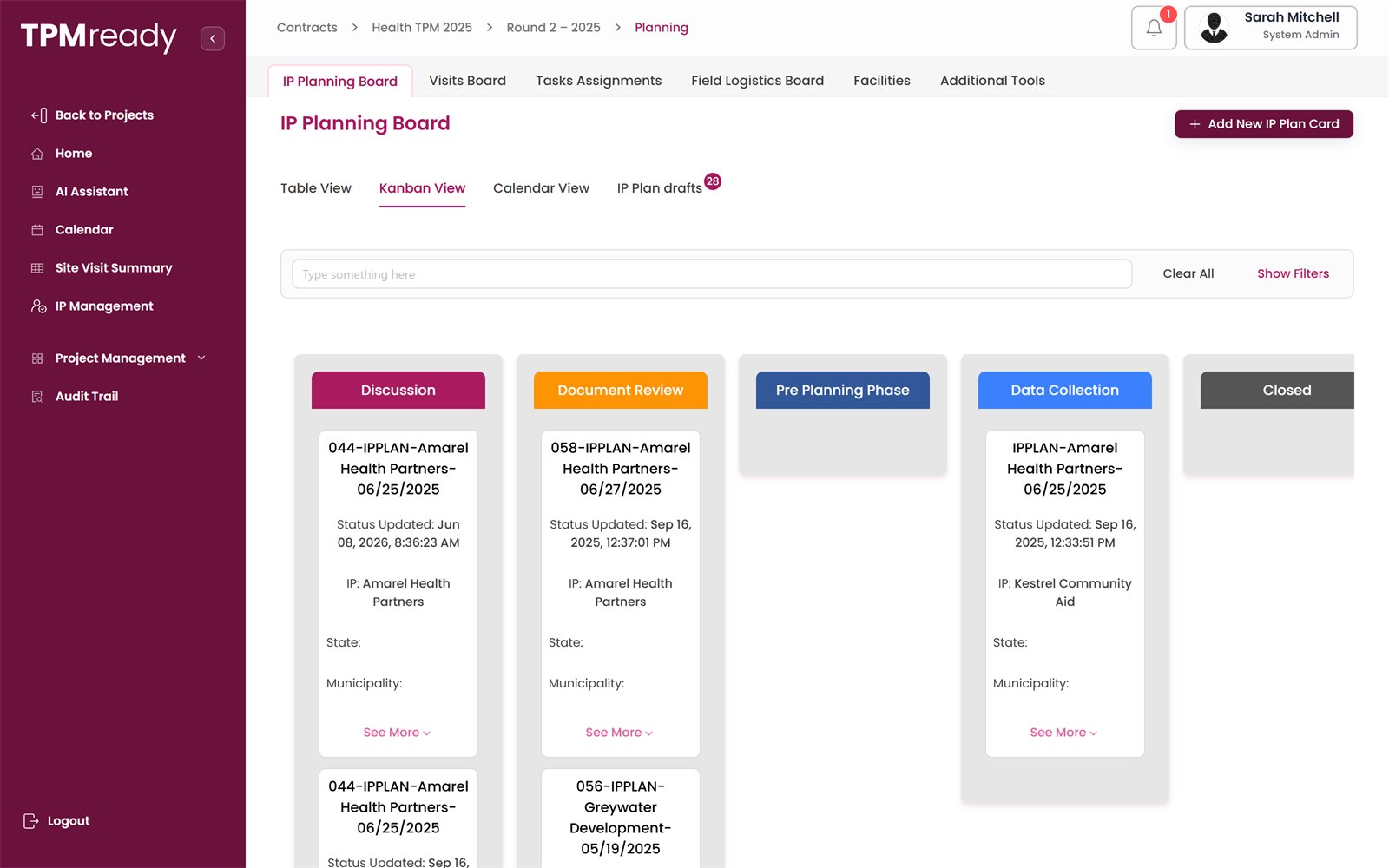
    Planning boards

    Monitoring work is prepared in full before anyone travels.

    • IP planning board: one plan per partner, each with a completeness score and a nudge to whoever is responsible.
    • Visits board in table, Kanban or calendar view, with partner, facility, dates, method, team and interviews.
    • Task assignments, a field logistics board for teams, drivers and vehicles, and a facilities register.
    Health TPM 2025 / Round 2 / Planning
    IP planning board in Kanban view

    Module 04

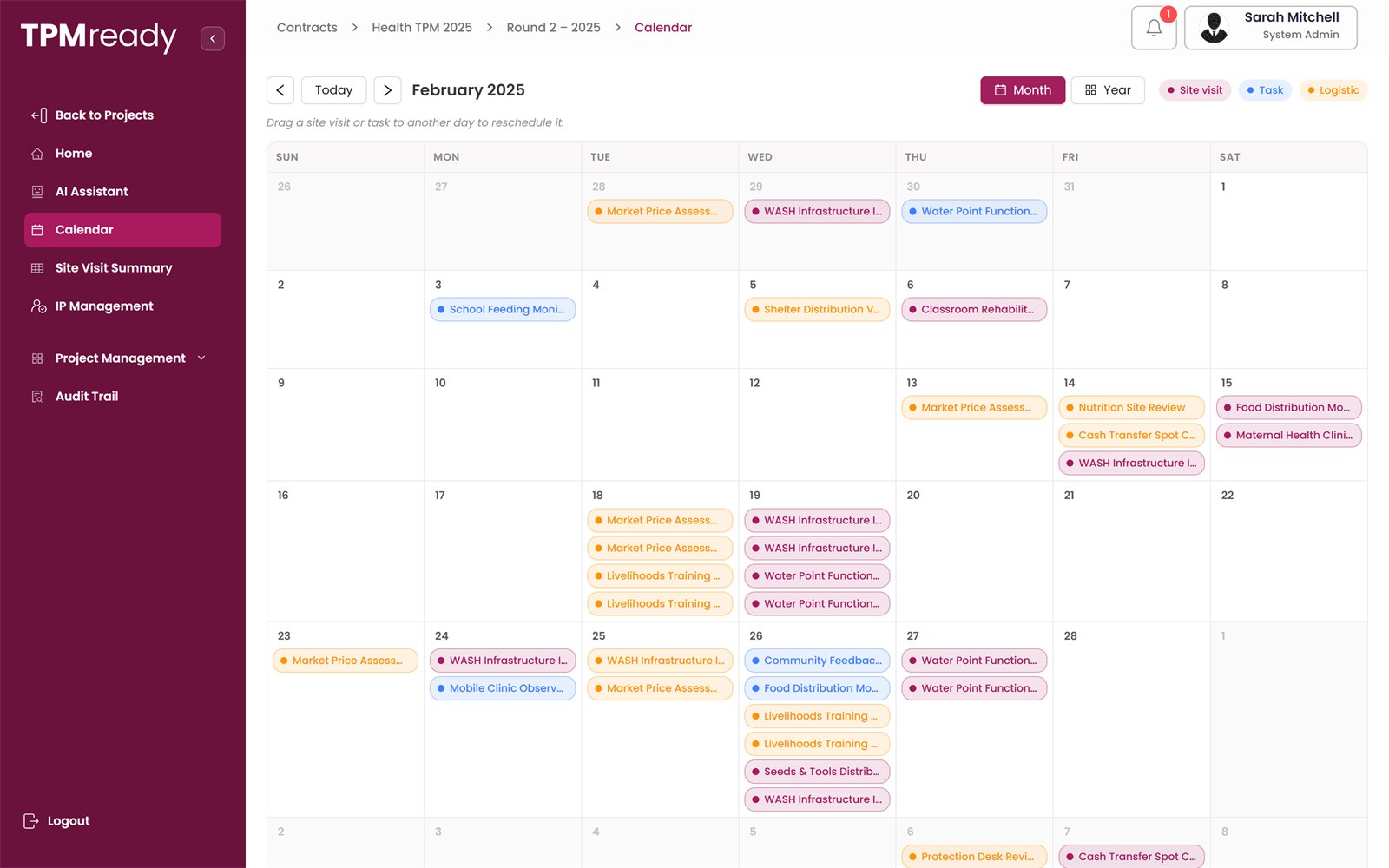
    Calendar

    Site visits, tasks and logistics in one schedule, colour-coded by type.

    • Month and year views.
    • Drag an item to another day to reschedule it; the change is saved and logged.
    • Spot busy days, clashes and gaps before teams travel.
    Health TPM 2025 / Round 2 / Calendar
    Calendar view of site visits and tasks

    Module 05

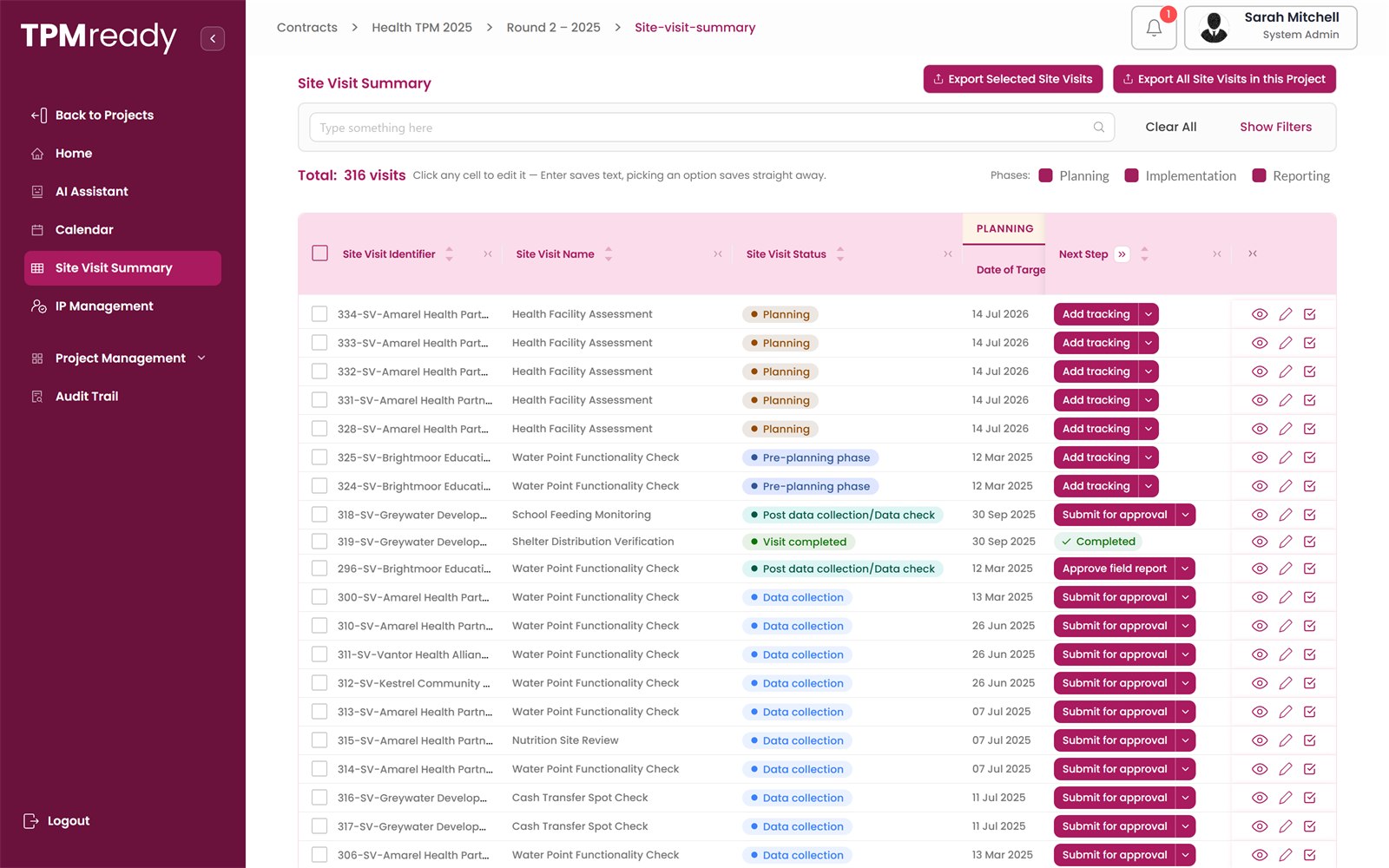
    Implementation and reporting

    Every visit, its status and its next step, from pre-planning to approved report.

    • Teams add tracking as interviews, observations, files and photos are completed.
    • Data checks are recorded before a report can be submitted.
    • Reviewers approve field reports or return them with comments. Approved visits move to Completed.
    Health TPM 2025 / Round 2 / Site visit summary
    Site visit summary table with statuses and next steps

    Module 06

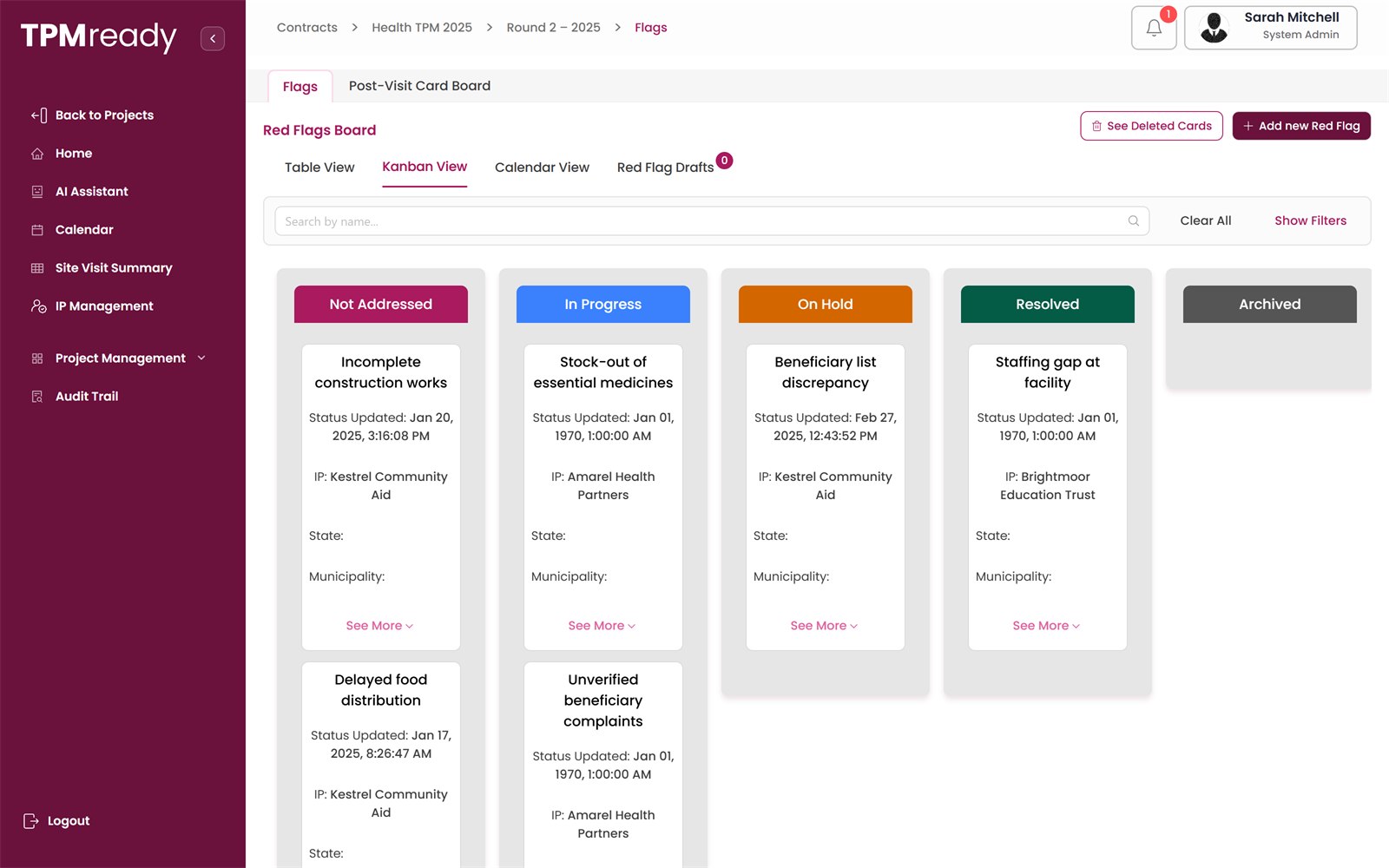
    Red flags and follow-up

    Issues found in the field, followed until they are resolved.

    • Each red flag records the visit, partner, owner, deadline and status.
    • Issue types include supply / stock-out, staff absence, data quality, safeguarding, financial irregularity and service delay.
    • Repeated flags of one type in an area or for a partner are surfaced as a pattern.
    • Post-visit cards track recommendations until they are closed.
    Health TPM 2025 / Round 2 / Flags
    Red flags board in Kanban view

    Module 07

    Dashboards and exports

    A visual summary of the round for managers and clients.

    • TPM summary: progress, planned against completed, on-time visit rate, stalled items and flag patterns.
    • IP summary, site visit summary by region and method, and visit data summary.
    • Export to PDF or Excel; share read-only with donors.
    Health TPM 2025 / Round 2 / TPM summary
    TPM summary dashboard

    Module 08

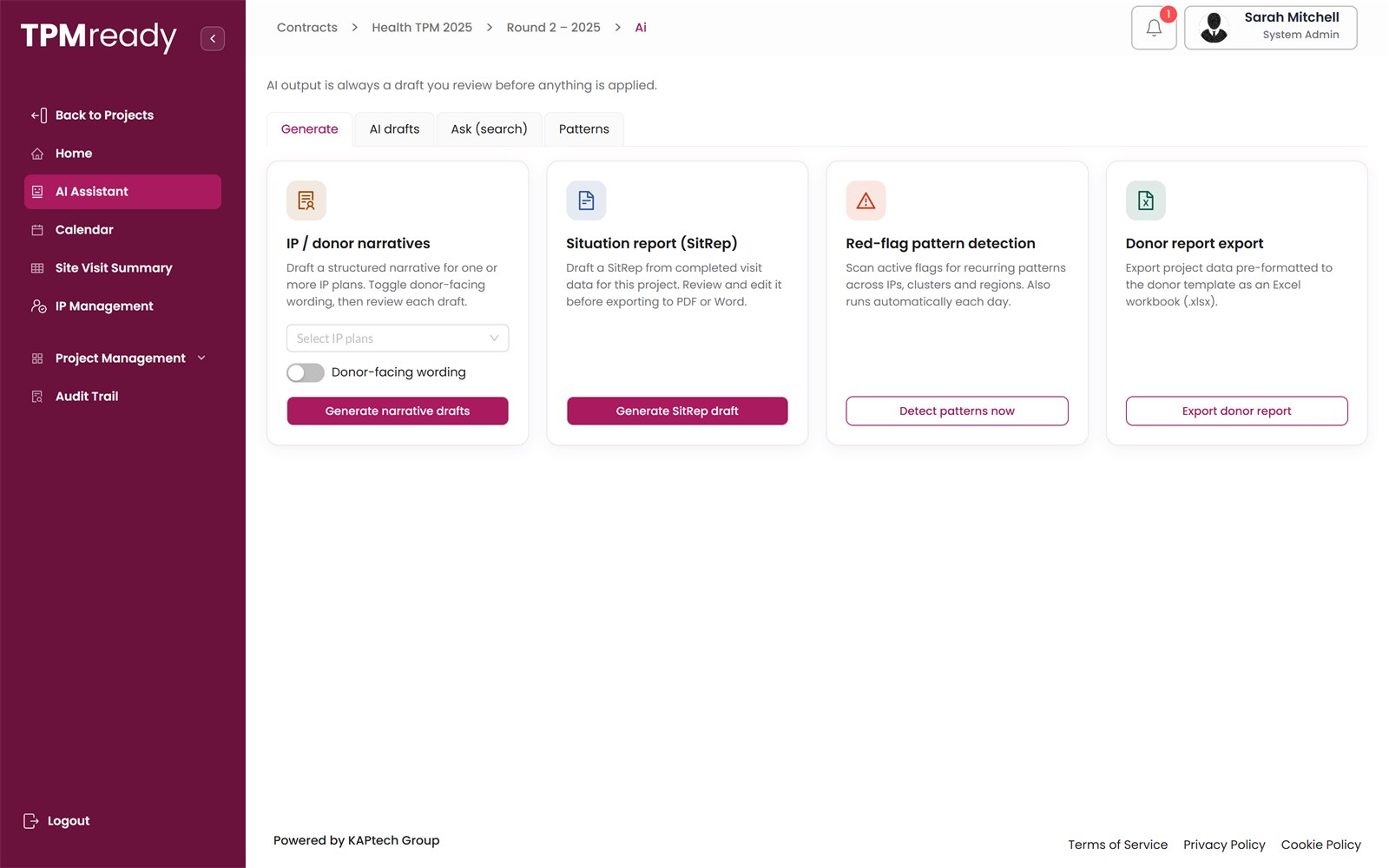
    AI assistant

    Help with the round's data, under human control. Powered by Claude, from Anthropic.

    • Draft IP and donor narratives, situation reports and donor report exports.
    • Ask questions in plain language, such as “which visits in the north are still in planning?”.
    • Run red-flag pattern detection and adjust the thresholds.
    • AI output is always a draft you review before anything is applied.
    Health TPM 2025 / Round 2 / AI assistant
    AI assistant generate options

    Module 09

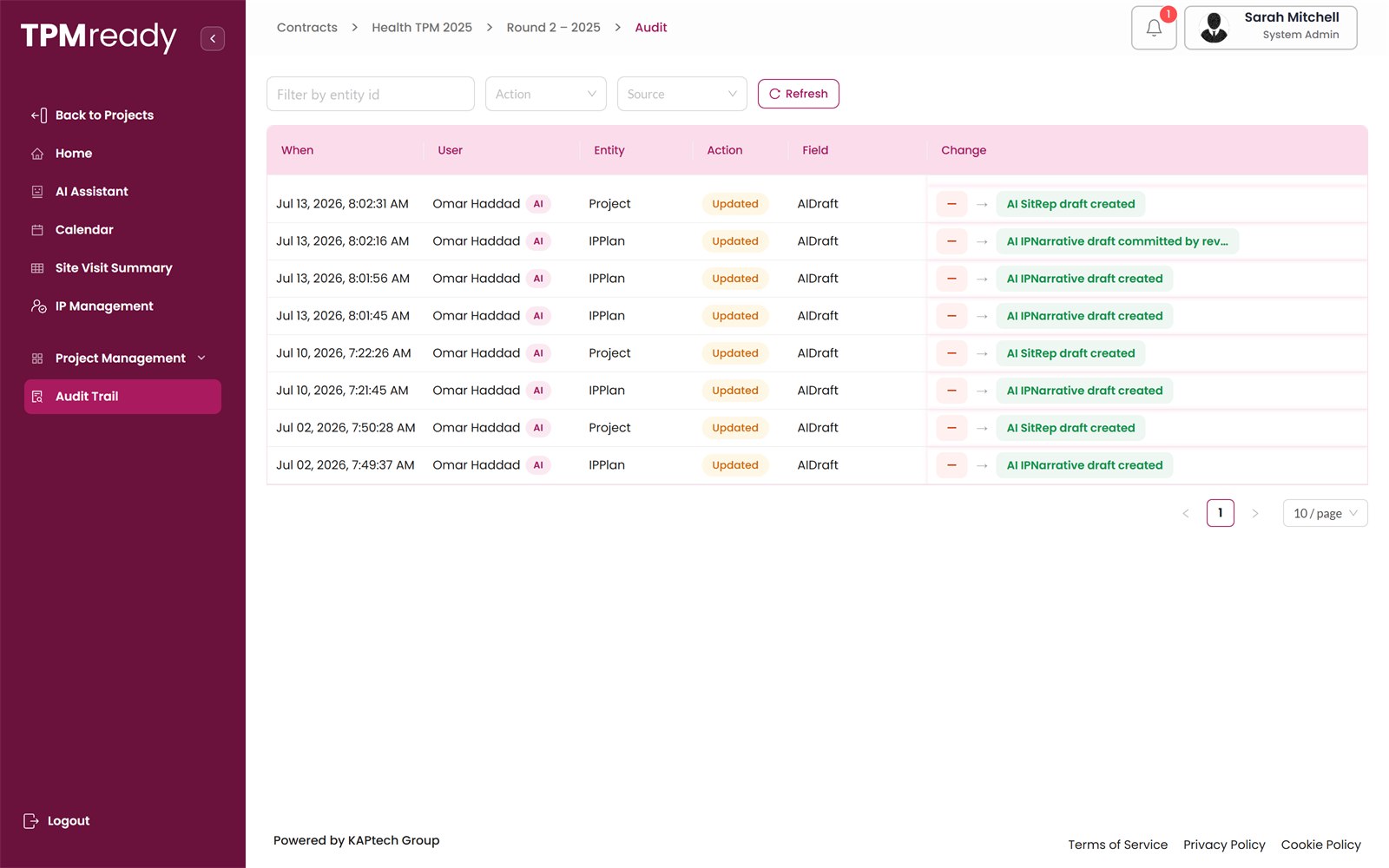
    Audit trail

    A searchable log of who changed what, and when.

    • Records created, updated or deleted, with old and new values side by side.
    • Filter by entity, action or source.
    • AI-assisted actions are clearly marked.
    Health TPM 2025 / Round 2 / Audit
    Audit trail log

    Access

    Eight roles, one source of truth

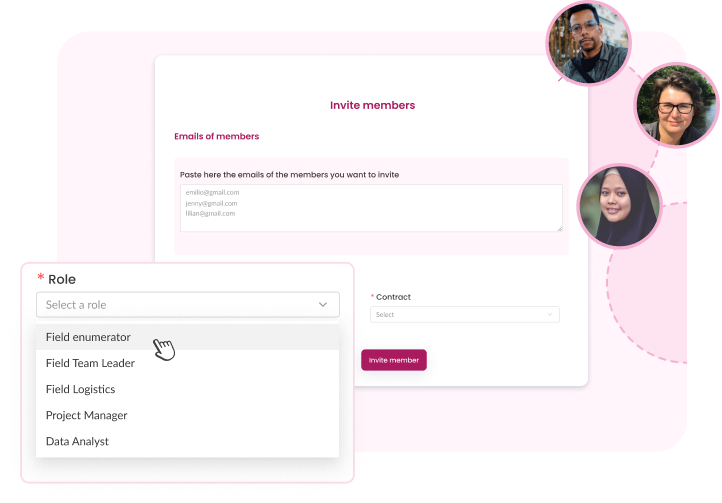
    A role decides which menus, boards and actions a person can see and use. Users are invited, set a password on first sign-in and confirm their account with a code.
    Invite members screen with a role picker: field enumerator, team leader, logistics, project manager, data analyst
    RoleTypical responsibilities
    System adminFull access. Manages workspaces, projects, users and settings.
    Project managerOwns the round: partners and plans, progress, escalation, report approval, dashboards and AI assistant.
    Field coordinatorPlans and schedules visits, assigns teams and tasks, follows day-to-day progress.
    Field team leaderLeads a field team, updates visit tracking, makes sure data and reports are submitted.
    Field enumeratorCollects data in the field through interviews and observations, completes assigned tasks.
    Field logisticsArranges transport, drivers and other practical needs for visits.
    Data analystPerforms data checks, cleans datasets and supports reporting.
    Guest / limited guestRead-only access to selected boards, dashboards and maps, for clients or donors.

    Administration

    Contracts, users and budgets

    Administration across your portfolio of monitoring contracts.
    • A workspace for every contract, from health systems to cash assistance monitoring.
    • User management: invite members, assign roles, edit or deactivate users.
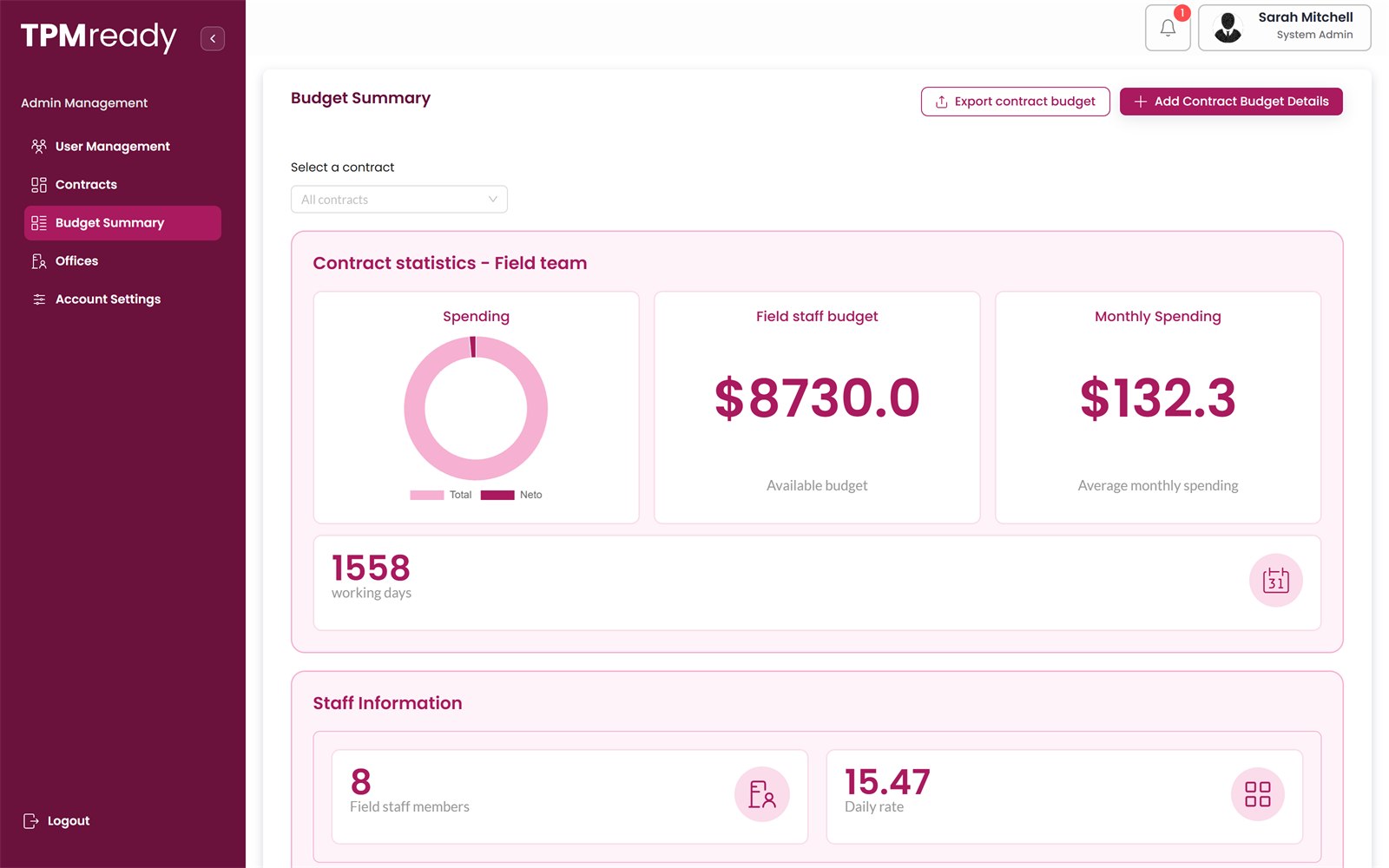
    • Office management and contract budget summaries.
    Admin / Budget summary
    Budget summary for a contract field team
    Round 2 / IP summary
    IP summary with status snapshot and planning cards

    Worked example

    A visit from start to finish

    Example Health Programme, Round 1. The client wants each of Partner A's clinics visited to check that medicines are available and staff are present. Names are fictional.
    1. 1

      Set-up

      The project manager creates the round, adds Partner A, creates its IP plan and invites the coordinator and field team.

    2. 2

      Planning

      The coordinator creates a visit card for Clinic X, District North: in-person, 10 interviews, a team leader, two enumerators and a driver.

    3. 3

      Calendar

      The clinic asks to move the date. The coordinator drags the visit to the next day.

    4. 4

      Implementation

      On the day the card moves to Data collection. The team leader updates tracking as interviews are completed.

    5. 5

      Flag

      A key medicine is out of stock. The team raises a red flag of type Supply / stock-out.

    6. 6

      Reporting

      The data analyst runs data checks. The team leader submits the report; the project manager approves it.

    7. 7

      Completed

      The report and dataset can be downloaded and the clinic appears on the visits map.

    8. 8

      Insight

      Two more clinics report the same stock-out. TPMready shows it as a pattern and the manager raises it with the client.

    Sample outputs

    What a client receives

    Dashboards for the round and an approved report for every visit. A redacted report from a live programme, or a demo workspace with dummy data, is available on request.
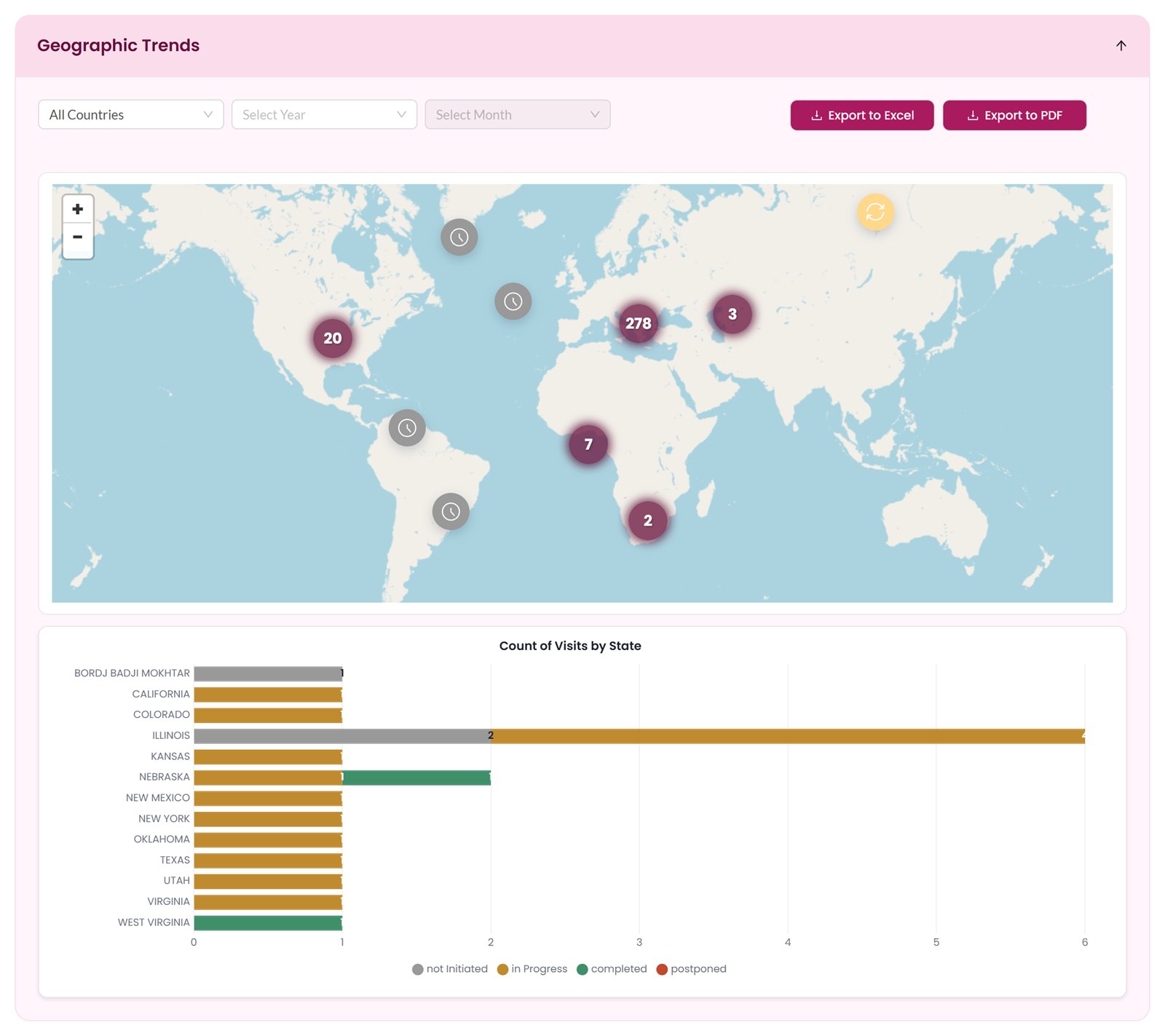
    Visit data summary / Geographic trends
    Geographic trends: map and count of visits by state
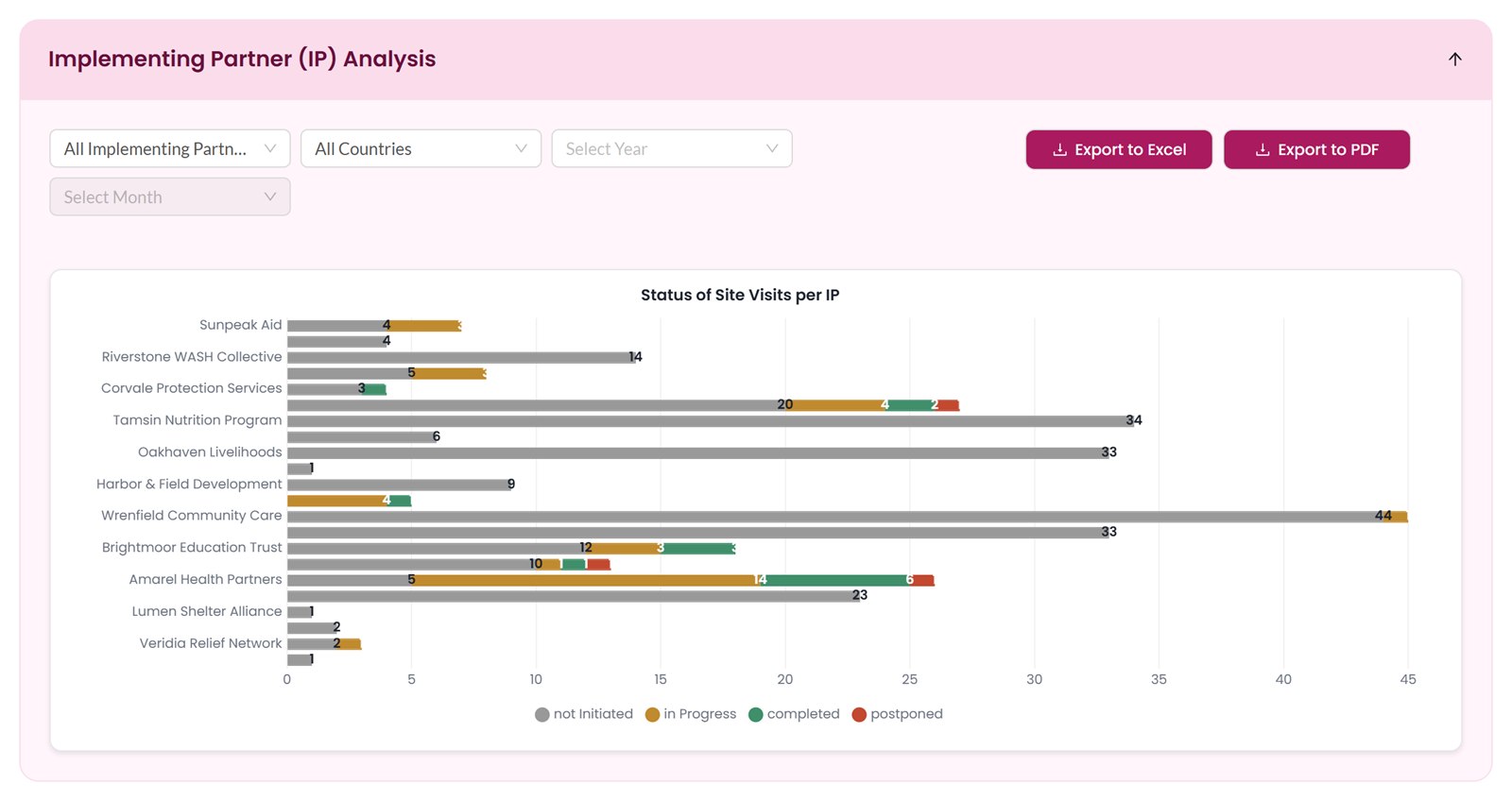
    Visit data summary / IP analysis
    Implementing partner analysis: status of site visits per IP

    Site visit report · SV-0142

    Availability of essential medicines and staff at Clinic X

    Implementing partner
    Partner A
    Facility
    Clinic X, District North
    Round
    Round 1 – Spring
    Collection method
    In-person
    Team
    1 team leader, 2 enumerators
    Interviews
    10 of 10 completed
    Data checks
    Complete and consistent
    Approved by
    Project manager, 14 March

    Key findings

    1. Staff present on the day matched the duty roster for all clinical posts.
    2. One key medicine was out of stock at the time of the visit. Red flag RF-031 · Supply / stock-out
    3. Beneficiary interviews reported waiting times within the programme standard.

    Follow-up

    Post-visit card opened for Partner A to confirm resupply, with a named owner and a deadline.

    Fig. 3 Excerpt from an approved site visit report. Content is fictional and shortened.
    Ask for a sample report

    See TPMready with your own monitoring plan

    We will walk through a round from planning to approved report, using the structure of your contract: your partners, sites, tools and reporting lines.